In the architecture of contemporary data centers and cloud environments, the demand for agility, scalability, and software-defined control has rendered traditional physical network switches insufficient on their own. This evolution has given rise to a critical software-based component operating at the hypervisor level: the application virtual switch. This technology is fundamental to enabling efficient communication within virtualized and containerized ecosystems, acting as the central nervous system for traffic flowing between virtual machines (VMs), containers, and the physical network. This article delves into the inner workings, benefits, and key considerations of the application virtual switch, providing a foundational guide for IT professionals and network architects.
What is an Application Virtual Switch?
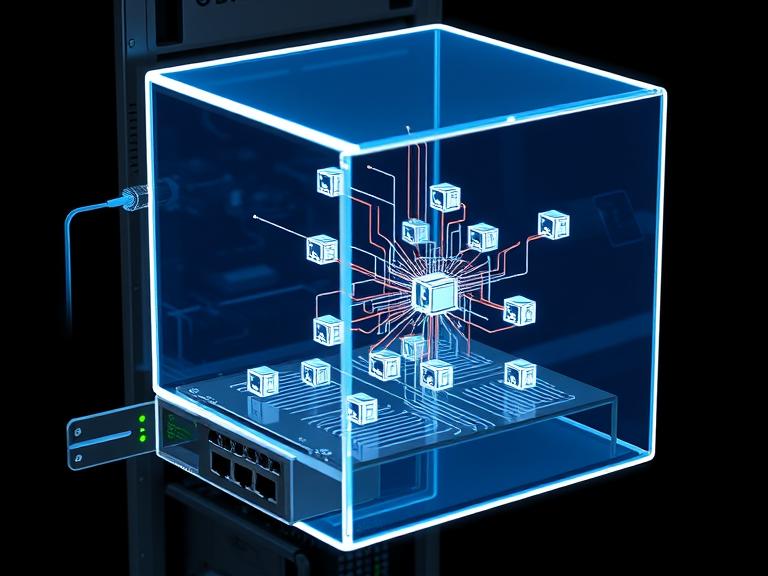
An application virtual switch, often simply called a virtual switch (vSwitch), is a software program that allows virtual machines on the same host server to communicate with each other and with external networks. It replicates the functions of a traditional physical Ethernet switch—such as packet forwarding, MAC address learning, and VLAN segmentation—but does so entirely in software within the hypervisor’s kernel.
Think of it as a built-in network switch for a single server. All VMs on that server have virtual network interface cards (vNICs) that connect to ports on this virtual switch. The vSwitch then makes decisions about where to send traffic: to another VM on the same host, to a VM on a different host, or out through the physical network interface cards (pNICs) of the host to the broader physical network.
How Does an Application Virtual Switch Work?
The operation of a vSwitch can be broken down into a few key stages:
-
Connection Point: When a VM is created, its vNIC is connected to a port on the virtual switch. This port can be configured with policies for security, traffic shaping, and monitoring, much like a physical switch port.
-
Packet Processing: When a VM sends a network packet, the hypervisor intercepts this traffic and passes it to the vSwitch. The vSwitch examines the packet’s header information, particularly the destination MAC address.
-
Forwarding Decision:
-
Same Host: If the destination MAC address belongs to another VM residing on the same physical host, the vSwitch forwards the packet directly to that VM’s vNIC. This “east-west” traffic never leaves the host server, resulting in extremely low latency and high bandwidth.
-
External Network: If the destination is outside the host (e.g., on another server or on the internet), the vSwitch forwards the packet out through one of the host’s physical NICs (pNICs), which are connected to the physical network infrastructure.
-
-
Policy Enforcement: Throughout this process, the vSwitch applies configured network policies. This can include access control lists (ACLs) for security, VLAN tags for segmentation, traffic shaping rules to guarantee bandwidth, and mirroring packets to monitoring tools.
Key Benefits of Implementing Virtual Switches
The adoption of application virtual switches brings several transformative advantages to modern IT infrastructure:
-
Enhanced Agility and Scalability: Network provisioning is no longer tied to physical hardware. New virtual switch ports can be created, configured, and deployed in seconds alongside new VMs, dramatically accelerating application deployment and scaling efforts. This is a cornerstone of DevOps and infrastructure-as-code practices.
-
Advanced Network Automation: Virtual switches are inherently programmable. Their configuration can be managed through APIs and automation tools like Ansible, Puppet, or VMware PowerCLI. This allows network policies to be defined as code and applied consistently across thousands of hosts, eliminating manual configuration errors.
-
Improved Operational Efficiency and Cost Reduction: By consolidating networking functions into software, organizations can reduce their reliance on expensive, top-of-rack physical switches for intra-host traffic. This simplifies cabling and reduces both capital and operational expenditures.
-
Rich Visibility and Security Features: Modern virtual switches, especially distributed versions, offer deep introspection into east-west traffic flows that are often invisible to physical network tools. They enable micro-segmentation—a critical security practice where fine-grained firewall policies are applied between workloads on the same host, containing breaches and minimizing the attack surface.
-
Optimized Performance for East-West Traffic: In modern applications based on microservices, the vast majority of traffic (east-west) occurs between VMs and containers within the data center. Virtual switches handle this traffic internally at memory speed, providing far superior performance than if it had to be routed out to a physical switch and back.
Types of Virtual Switches
The landscape of virtual switches is primarily divided into two categories:
-
Standard Virtual Switches: Provided by hypervisor vendors (e.g., VMware vSwitch, Microsoft Hyper-V Virtual Switch), these are simple to set up and manage on a per-host basis. However, their configuration is host-specific, which can lead to consistency challenges across a large cluster.
-
Distributed Virtual Switches (DVS): This advanced form (e.g., VMware vSphere Distributed Switch, Cisco Nexus 1000V) provides a single, centralized management plane for all virtual switches across a cluster of hosts. Network policies are defined once at the cluster level and propagated automatically, ensuring consistency, simplifying management, and enabling advanced features like network health checks and backup/restore.
Considerations and Challenges
While powerful, virtual switches introduce new considerations:
-
Management Complexity: While a DVS simplifies policy management, the overall virtual network layer adds a new domain that network teams must monitor and manage alongside the physical network.
-
Performance Overhead: Although minimal, processing packets in software consumes host CPU cycles. The impact is usually negligible on modern servers but must be considered for extremely high-throughput workloads.
-
Troubleshooting: Traditional network troubleshooting tools cannot see traffic that never leaves a host. Effective troubleshooting in a virtualized environment requires tools that can integrate with and provide visibility into the virtual switch layer.
The Future: Integration with Containers and Cloud
The role of the virtual switch is expanding with the rise of containers and Kubernetes. Cloud-native environments use software-defined networking (SDN) solutions like Project Calico, Cilium, and Antrea. These CNI (Container Network Interface) plugins often function as a highly advanced form of virtual switch, providing networking and security policies for pods within a Kubernetes cluster, further abstracting and automating the network fabric.
Conclusion
The application virtual switch is far more than a simple emulation of physical hardware; it is the intelligent, programmable foundation that enables the agile, software-defined data center. By abstracting network functions into the hypervisor, it provides unparalleled flexibility, security, and efficiency for modern applications. For IT professionals, understanding the capabilities and management of virtual switches is no longer optional—it is an essential skill for designing, securing, and operating the next generation of cloud-native infrastructure.
Informational FAQs
Q: What is the difference between a virtual switch and a physical switch?
A: A physical switch is a dedicated hardware appliance with its own processing power, ports, and operating system. A virtual switch is a software construct that runs on a server’s hypervisor, sharing the host’s CPU and memory resources. While they perform similar functions, a vSwitch is more agile and programmable but is ultimately dependent on its host hardware.
Q: Can a virtual switch completely replace physical switches?
A: No. Virtual switches handle traffic within a host and between the host and the physical network. They still rely on physical switches (top-of-rack, spine-leaf) to connect multiple hosts together and to provide uplinks to the wider network, internet, and storage systems.
Q: What is micro-segmentation and how does a virtual switch enable it?
A: Micro-segmentation is a security technique that creates granular firewall policies between workloads, even those on the same host. A virtual switch enables this by applying security policies (e.g., based on VM name, OS, or tag) directly at the vNIC level, enforcing rules before traffic can even leave the VM.
Q: Are virtual switches secure?
A: The virtual switch itself is a core part of the hypervisor and is generally secure. The primary security risk comes from misconfiguration. Properly configuring port policies, ACLs, and isolating management traffic is crucial to maintaining a secure virtual network.
Q: How do I choose between a standard and a distributed virtual switch?
A: Use a standard vSwitch for small, simple environments or for specific management networks. A Distributed vSwitch (DVS) is essential for any medium to large virtualized data center as it provides centralized management, consistency, advanced features, and simplified operational overhead across many hosts.