What is a Random Access Memory RAM? In the world of technology, processors (CPUs) often steal the spotlight. Touted for their blazing speeds and core counts, they are celebrated as the “brains” of a computer. But what good is a brilliant brain without a quick and efficient way to recall the information it’s currently working on? This is where Random Access Memory, or RAM, steps into the crucial role of the computer’s short-term memory. It is the silent, high-speed workhorse that enables every task you perform, from moving your mouse cursor to rendering complex video edits. Understanding RAM is fundamental to understanding how your computer operates at its core.
At its simplest, RAM is a form of volatile computer memory that provides a temporary workspace for the data your computer is actively using. The term “volatile” is key here; it means that all data stored in RAM is erased when the computer loses power. This is why you lose an unsaved document when your machine crashes—it existed only in the temporary workspace of RAM and hadn’t been written to a permanent storage drive. This might sound like a design flaw, but it’s actually a feature. The volatile nature allows RAM to be incredibly fast, far surpassing permanent storage devices like Hard Disk Drives (HDDs) or even Solid State Drives (SSDs).
The Library Analogy: Understanding RAM vs. Storage
The best way to grasp the concept of RAM is through a simple analogy. Imagine a massive library.
-
The Hard Drive (HDD/SSD): This is the library’s vast archive of bookshelves. It’s where every single book (file, program, operating system) is stored permanently. It has immense capacity but retrieving a specific book from the stacks takes time.
-
The RAM: This is the librarian’s desk. When you want to work with a specific book (or a few chapters from several books), the librarian retrieves them from the shelves and places them on the desk. The desk has limited space, but the librarian can access any book on it instantly. The more desk space (RAM) available, the more books (data and applications) the librarian can have ready for you at once without having to constantly go back to the archives.
-
The CPU (Processor): This is the librarian themselves, the one actually reading, cross-referencing, and working with the information from the books on the desk.
If the desk is too small (not enough RAM), the librarian is forced to constantly run back to the archives to swap books in and out. This process is slow and makes the librarian highly inefficient. In computing terms, this is called “thrashing,” where your system spends more time moving data between RAM and your slow storage drive than actually processing it, leading to severe lag and slowdowns.
How Does RAM Actually Work?
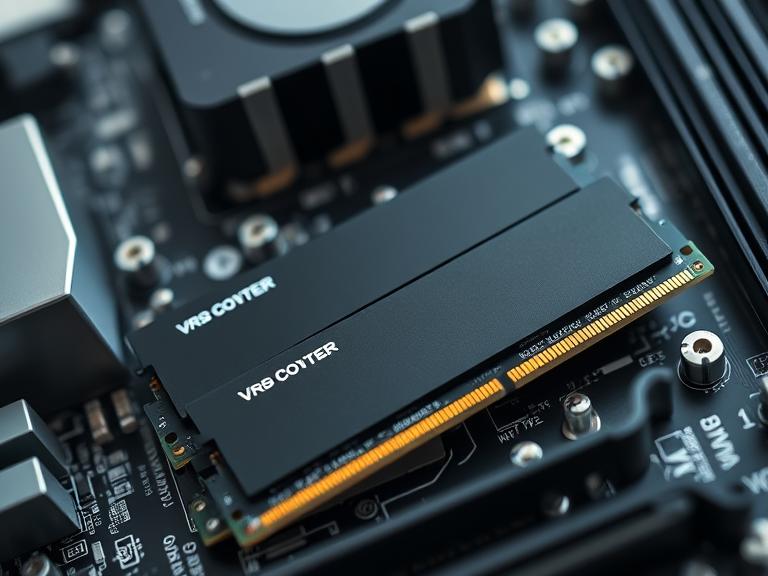
Physically, RAM is a slender module, often called a “stick,” that plugs directly into the motherboard of your computer. Each stick contains numerous memory chips and a printed circuit board. When you open a program, like a web browser, the following happens:
-
Loading: The computer’s operating system locates the browser’s application files on the permanent storage drive (SSD/HDD).
-
Transfer to Workspace: It then copies the essential parts of those files into RAM. Why? Because reading from RAM is thousands of times faster than reading from even the fastest SSD.
-
Execution: The CPU now accesses the instructions and data for the browser directly from the ultra-fast RAM, allowing it to run the program smoothly.
-
Active Use: Every action you take—opening a new tab, watching a video, scrolling through a page—requires data to be shuttled between the CPU and RAM at nanosecond speeds.
This process happens for every running application and even for the core components of the operating system itself. The more tasks you perform simultaneously, the more RAM you consume.
Key Characteristics of RAM: Capacity, Speed, and Generation
Not all RAM is created equal. Its performance is defined by three primary factors:
-
Capacity (Measured in GB): This is the most well-known spec. It refers to the total volume of data the RAM can hold at once. For modern computing, 8GB is considered the entry-level for basic tasks, 16GB is the sweet spot for general use and gaming, and 32GB or more is recommended for content creators, engineers, and hardcore multitaskers. Insufficient RAM capacity is the most common cause of performance bottlenecks for the average user.
-
Speed (Measured in MHz): RAM speed, or frequency, measures how many cycles it can perform per second. A higher MHz rating means the RAM can read and write data faster. While not as impactful as capacity for general smoothness, faster RAM can provide noticeable performance boosts in tasks that are heavily dependent on memory bandwidth, such as high-frame-rate gaming, video editing, and scientific simulations.
-
Generation (DDR): RAM technology has evolved through generations: DDR, DDR2, DDR3, DDR4, and the current standard, DDR5. Each new generation brings higher speeds, greater efficiency, and increased capacity per module. These generations are not interchangeable; a motherboard designed for DDR4 RAM will not accept a DDR5 stick, and vice versa. DDR5 is the latest standard, offering significant performance and efficiency improvements over the previous DDR4.
Types of RAM: DRAM and SRAM
It’s worth noting that “RAM” is a broad term. The RAM we typically refer to in consumer computers is technically called DRAM (Dynamic RAM). It’s the most common type because it’s cost-effective and allows for high densities (large capacities). However, it requires constant power and a periodic “refresh” of electrical charge to retain data, which is why it’s volatile.
There is another, even faster type called SRAM (Static RAM). SRAM is significantly faster and doesn’t need refreshing, but it’s much more expensive and physically larger for the same capacity. Because of this, SRAM is not used as main system memory. Instead, it’s used in much smaller capacities as cache memory inside the CPU itself, acting as an ultra-fast scratchpad for the processor’s most immediate calculations.
Conclusion: The Essential Conduit
Random Access Memory is not a luxury; it is an essential component that dictates the responsiveness and multitasking capability of any computing device. It acts as the critical high-speed conduit between the sluggish permanent storage and the lightning-fast processor. Without sufficient RAM, even the most powerful CPU in the world would spend most of its time idle, waiting for data to arrive. Investing in adequate RAM capacity is one of the most effective and noticeable upgrades you can make to ensure a smooth, efficient, and frustration-free computing experience. It is, without a doubt, the unsung hero that keeps the digital world running seamlessly.
Informational FAQs
Q: Can I mix and match different RAM sticks?
A: It is not recommended. While sometimes possible, mixing sticks of different sizes, speeds, or brands can lead to system instability, crashes, or the RAM defaulting to the speed of the slowest stick. For best results, use identical RAM sticks sold in a kit.
Q: How do I know how much RAM I need?
A: It depends entirely on your use case:
-
Basic Web/Email (4GB-8GB): The absolute minimum for light tasks.
-
General Use/Office Work/Gaming (16GB): The modern standard. Excellent for multitasking with several applications and a browser with many tabs open.
-
Content Creation/Engineering/High-End Gaming (32GB+): Necessary for working with large files in video editing, 3D rendering, virtual machines, and keeping many demanding applications open.
Q: Does more RAM make my computer faster?
A: It makes it more capable and smoother, but not necessarily faster in terms of raw processing speed (which is the CPU’s job). More RAM prevents slowdowns caused by multitasking and data swapping. It eliminates bottlenecks, allowing your existing CPU to work at its full potential without waiting.
Q: Is laptop RAM different from desktop RAM?
A: Yes. Laptop RAM modules, called SO-DIMMs, are physically smaller than the DIMMs used in desktop computers. They are not interchangeable.
Q: What does “Dual-Channel” mean?
A: Modern motherboards can use two (or more) identical RAM sticks in tandem to increase the data transfer rate between the memory and the memory controller. Using two 8GB sticks in a dual-channel configuration will typically offer better performance than a single 16GB stick.